Available

Padel Academy lead management

Capture course requests, match preferences with an offer, wait for the decision, and record each lead as Confirmed or Lost.

ForAcademy managersCoachesReception & operations
Academy lead Kanban with Requested, Matching, Waiting, Confirmed and Lost columns

Move every Academy request through one pipeline

Create a lead in Requested, then drag it through Matching and Waiting to Confirmed or Lost. Use Kanban for the active pipeline and List for filters, archived records and bulk actions.

01

Open Dashboard → Academy

Start in Kanban to review active leads by status, or switch to List for archive scope, detailed filters and bulk actions.
Academy lead Kanban with Requested, Matching, Waiting, Confirmed and Lost columns
Academy managers can work active leads in Kanban or switch to List for detailed filters, archiving and bulk actions.
02

Create a Requested lead

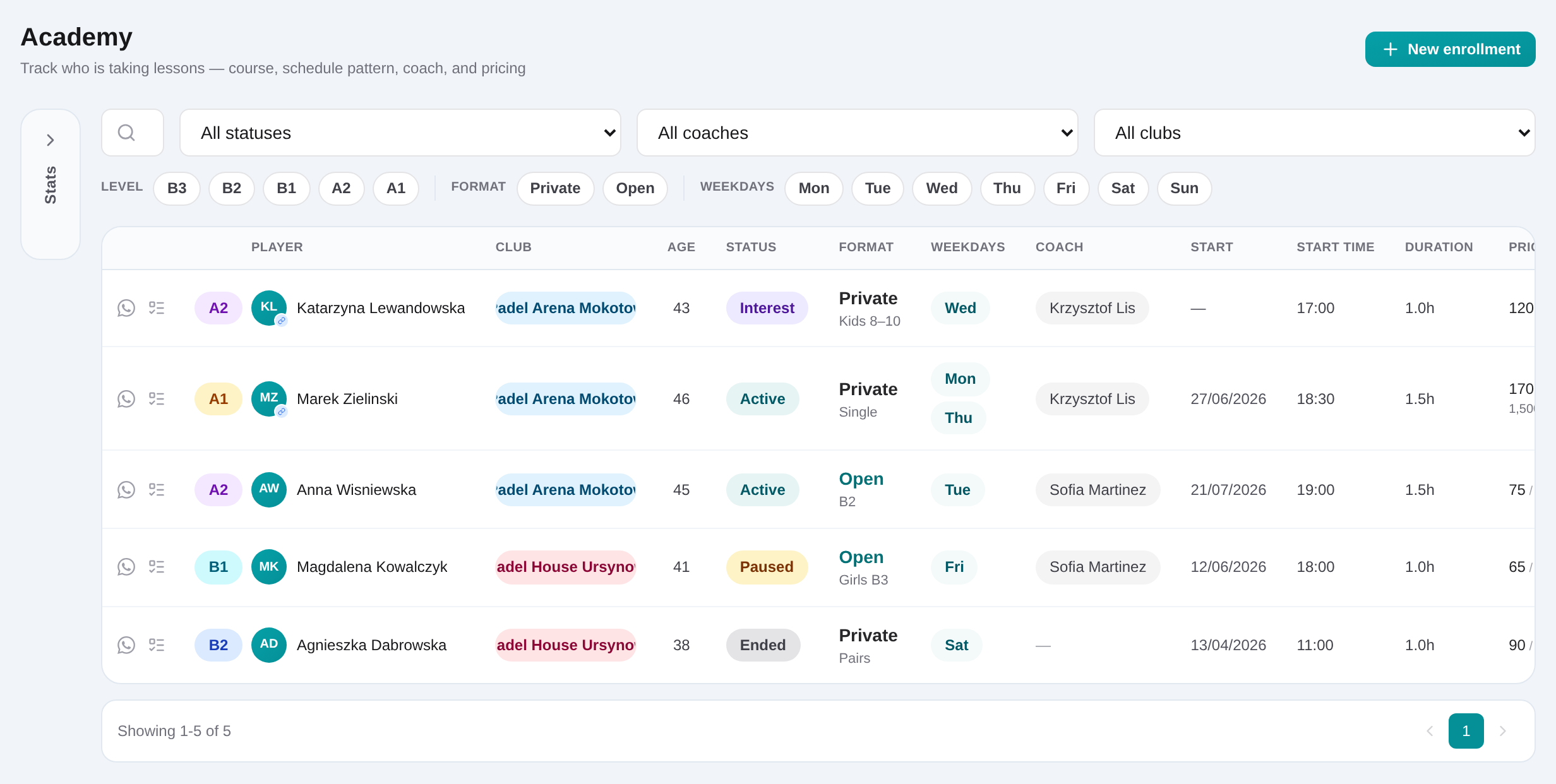
Select the CRM player, choose the Private or Open program and course type, and leave the lead in Requested while the enquiry is new.
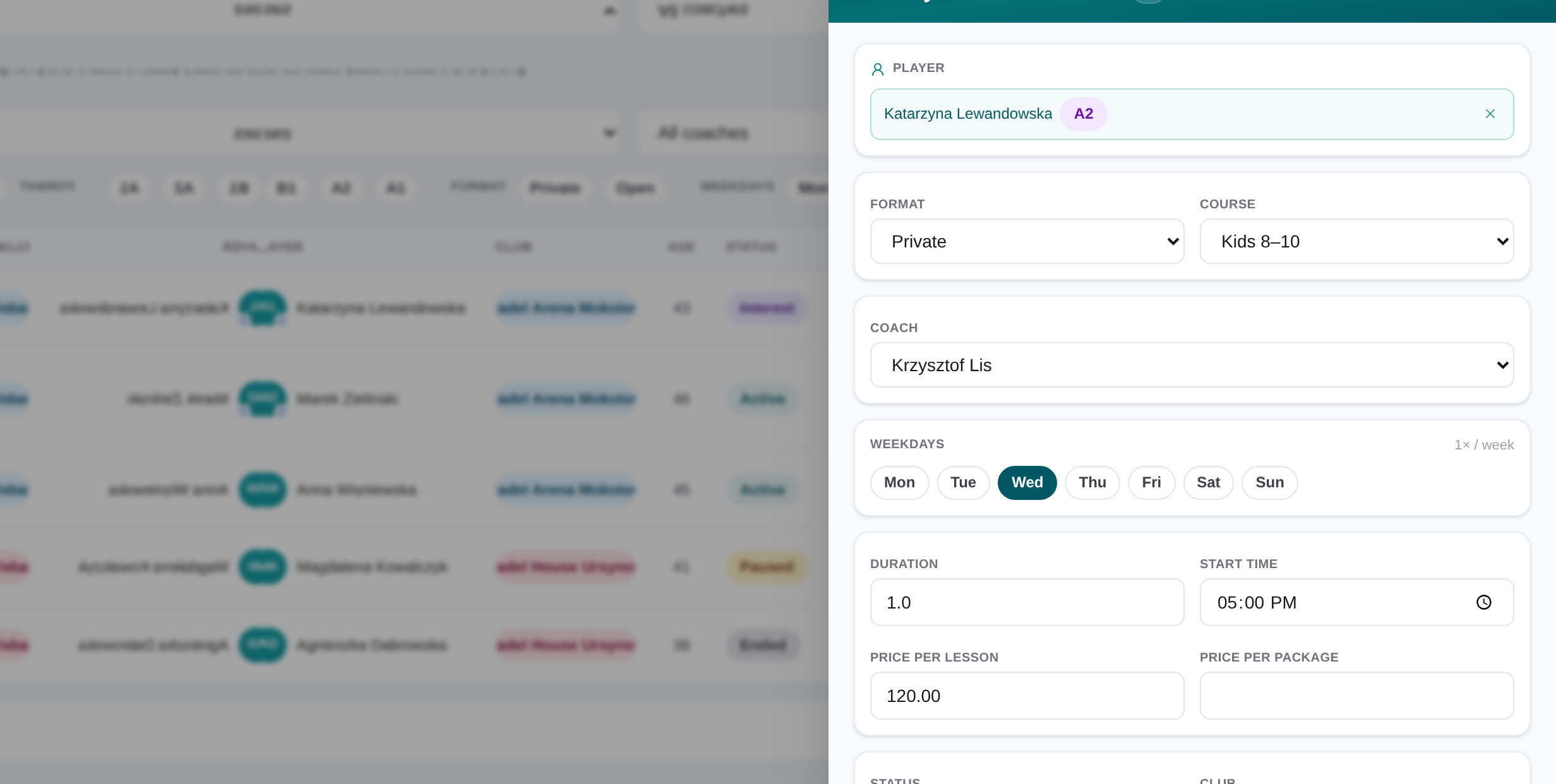
Academy lead slide-over with course and schedule preferences
A lead keeps the requested course details, current pipeline status, notes and optional linked tasks together.
03

Record course and schedule preferences

Add preferred weekdays and time, wanted start and end dates, and coach or club preferences when the contact has supplied them.

04

Move the lead through the pipeline

Use Matching while finding an option, Waiting while the contact decides, then Confirmed or Lost when the outcome is known.

Academy lead Kanban with Requested, Matching, Waiting, Confirmed and Lost columns
Academy managers can work active leads in Kanban or switch to List for detailed filters, archiving and bulk actions.
05

Create a linked task when needed

A task is optional. Add one when follow-up needs a named owner, due date, checklist or separate work queue.
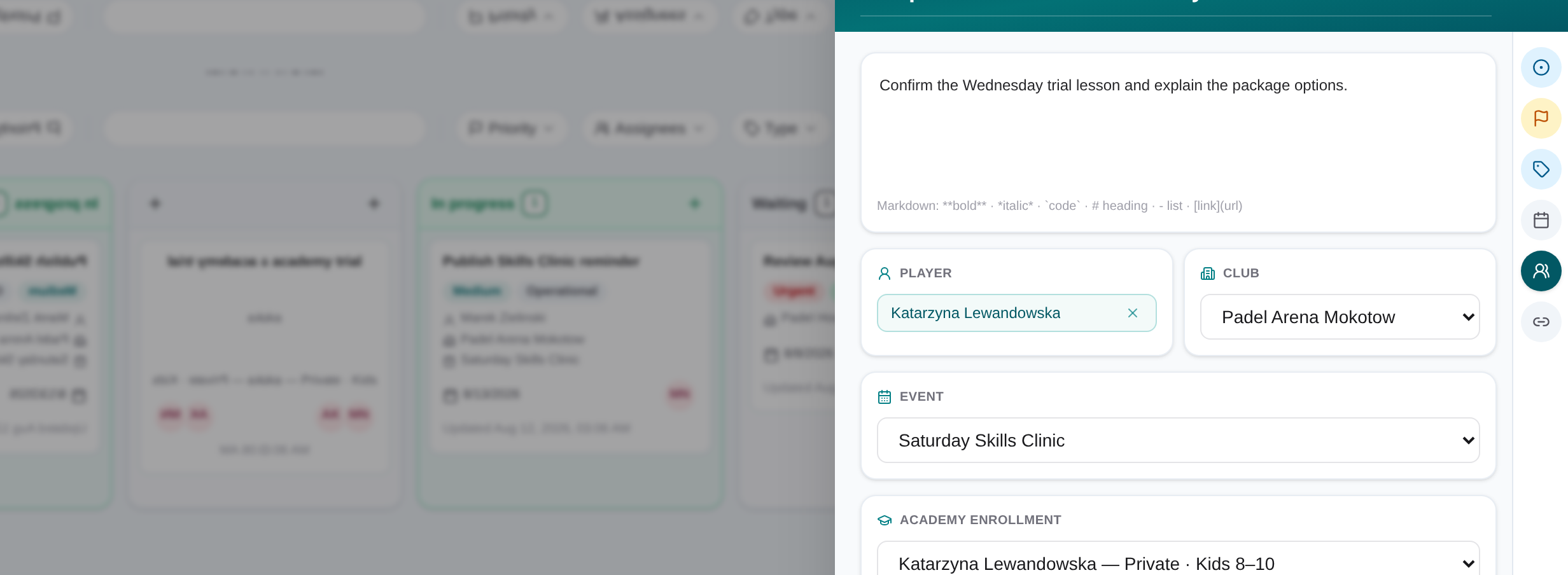
Task slide-over with assignee, due date, linked record and checklist
Task details keep the owner, deadline, checklist and operational context in one view.
06

Archive the completed outcome

Confirmed and Lost leads are not archived automatically. Archive them manually when no active follow-up remains, and reopen them later from List if needed.

Academy lead Kanban with Requested, Matching, Waiting, Confirmed and Lost columns
Academy managers can work active leads in Kanban or switch to List for detailed filters, archiving and bulk actions.

Record what the player is looking for

Choose Private or Open and the relevant format, adult level, senior group or kids age band. Add preferred weekdays and time, wanted start and end dates, coach preference and club preference when known.

Keep follow-up explicit

Create a linked task only when someone needs a separate action. Confirmed and Lost leads stay visible until staff archive them manually, and archived leads can be reopened from List view.

Academy lead slide-over with course and schedule preferences
A lead keeps the requested course details, current pipeline status, notes and optional linked tasks together.

Frequently asked questions

Padel Academy lead management

Capture course requests, match preferences with an offer, wait for the decision, and record each lead as Confirmed or Lost.

Get started